Education · training centre
Training centre management system
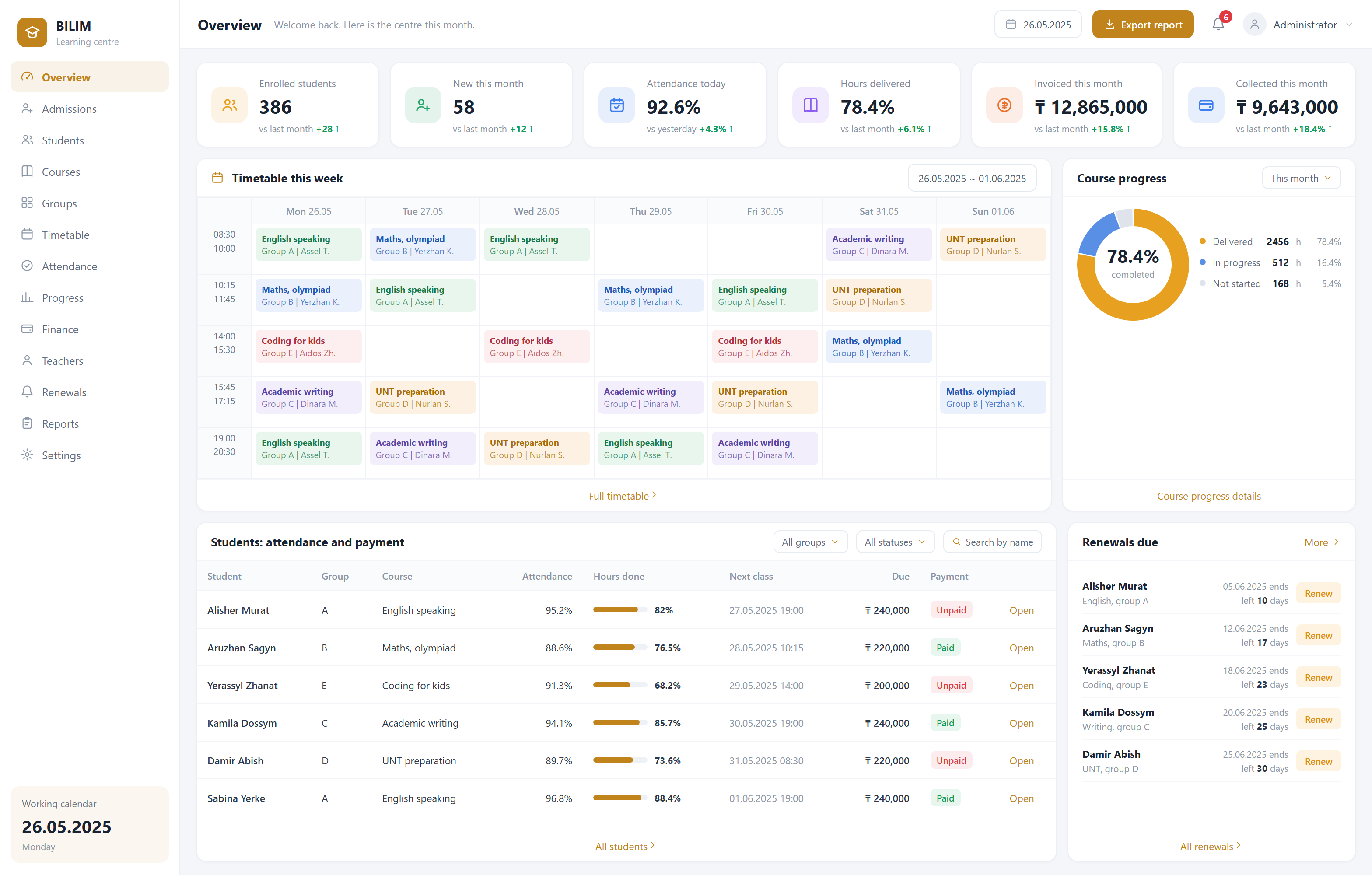
Language schools and tutoring centres argue about exactly two things: how many lessons the child actually attended, and how much of the fee is left. The record lives in the teacher’s notebook, so a parent asks and it takes half an hour to look up — and the numbers may still not agree. This system turns the lesson package into a balance account: one lesson taught, one lesson deducted, and the parent can see it on their phone.
What it solves
The lesson count does not add up
The teacher says twenty were taught, the parent says twenty-four were paid for, and neither can produce a record. Marking attendance deducts the lesson immediately, and the parent sees every deduction with its date and teacher.
Overdue fees never get collected
With fees paid in instalments, who owes what and for how long rests on the front desk’s memory. The system lists overdue students automatically and sends a reminder before the due date, so nobody has to phone round.
Transfers and reschedules turn into chaos
Students join mid-course, lessons move, absences need make-up slots — a paper timetable cannot hold it. The system schedules against three occupancies at once — group, teacher, room — and blocks clashes outright.
Before and after

- Lessons are kept in the teacher’s notebook; parents wait while it is found
- Transfers and reschedules are pencilled onto a paper timetable
- Only the front desk knows who still owes fees
- Teacher hours are counted lesson by lesson at month end
- Marking attendance deducts the lesson; the parent sees it on their phone
- Room and teacher clashes are blocked by the system itself
- Overdue students are listed automatically with reminders before the due date
- Teacher hours accumulate on their own; pay is one click
Capabilities
Group scheduling with automatic teacher and room clash detection
Attendance by roll call or code, with absence notifications to parents
Lesson package deduction and remaining balance, visible to parents any time
Absence logging and make-up lesson scheduling
Instalment fees, overdue lists and due-date reminders
Trial-to-enrolment follow-up pipeline
Teacher hour totals and pay calculation
Language schools, after-school tutoring, arts and sports programmes, driving schools, and any teaching organisation that charges by lesson package.
FAQ
Do parents have to install an app?
No. The parent gets a WhatsApp link that opens straight onto their own child’s lesson balance and attendance — no sign-up, no download. This matters: solutions that make parents install an app end up with almost nobody using them.
A child attends two courses — how is that counted?
As separate packages. Each package has its own balance, validity period and price per lesson, and the parent can see how many lessons remain on each. They do not affect one another.
How much does a system cost?
It depends on the feature set, how many locations you have and whether hardware integration is needed. Using a ready module costs significantly less than building from zero. We can give a range after the first conversation, and once the scope is agreed the price is fixed — we do not bill by the hour.
How soon can we start using it?
If the module is used largely as-is, 2–3 weeks. If it needs substantial adaptation to your process, usually 4–6 weeks. The timeline is stated in the proposal.
Where is the data stored? Can it be on our own server?
It can. By default the system runs on servers we maintain, which is simpler for you. If you have compliance or internal control requirements, we deploy entirely on your server or on a machine in your premises, and data never leaves your network.
Other systems
Gym membership system
Retire the paper log and the spreadsheet: memberships, personal training and renewal reminders in one place.
QR self-ordering system
Guests scan, order and pay themselves while the order goes straight to the kitchen — fewer queues, fewer mistakes, lower staffing cost.
Internet café management system
Session billing, client balances and seat status on a single screen at the front desk.